How to Delete All TikTok Videos at Once
Click the Social Erase icon
in the top-right of your browser window to open the extension.
in the top-right of your browser window to open the extension.
In the popup, click the Go to TikTok button to launch TikTok in your browser.

Once TikTok loads, click the Social Erase icon again to open the popup menu.
Click the Yes, Delete Activity button to start removing your TikTok videos and photos.
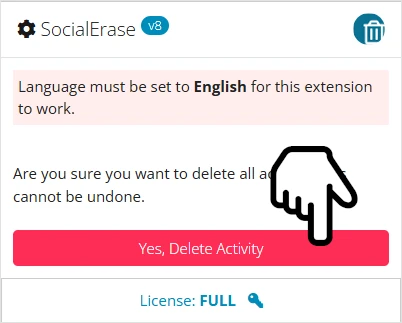
The extension will automatically navigate to your profile, delete each video, and continue until all your TikTok posts are gone.
Done! Refresh your TikTok profile to confirm that your videos and photos have been deleted.